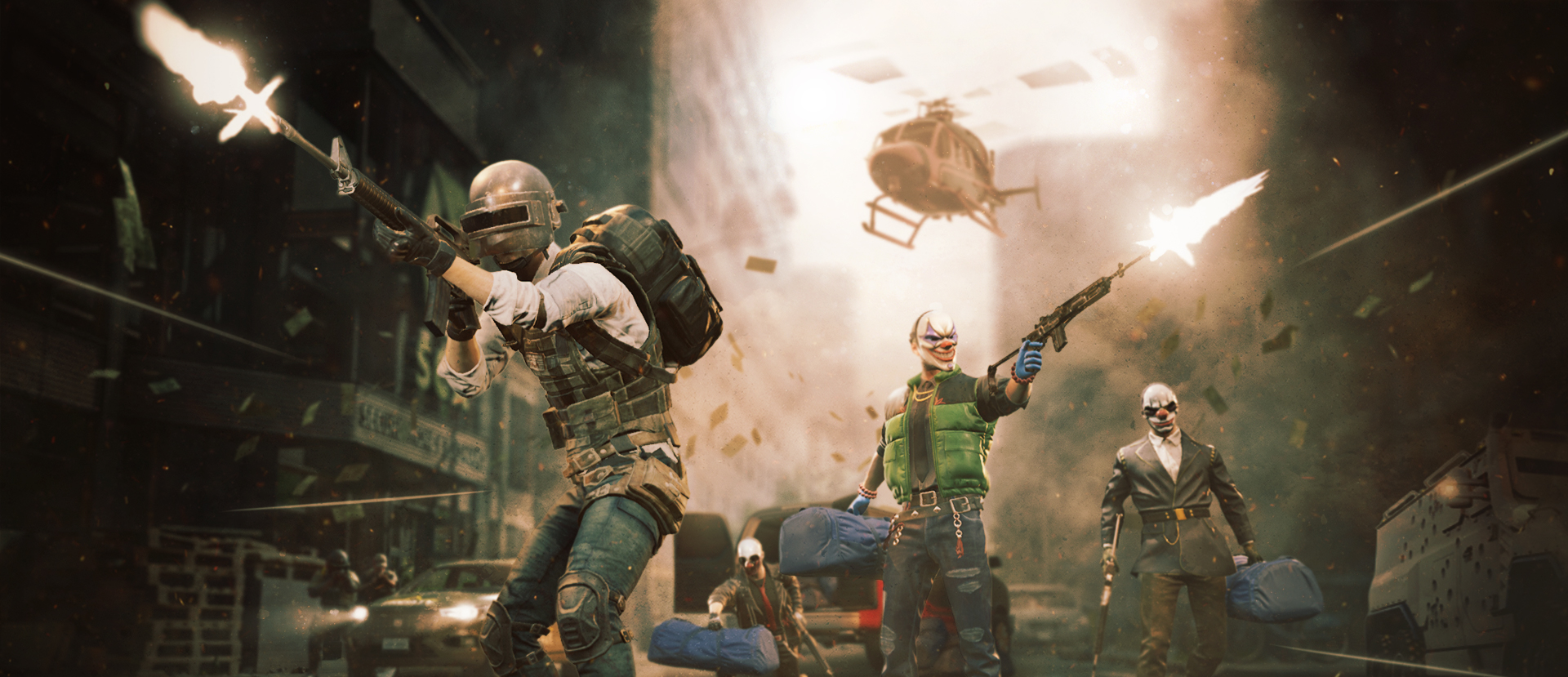

GAME TYPE: 4 player co-op Gamemode
Studio: Starbreeze Studios X Krafton
Release Year: 2026
My Role: LEAD UI/UX (Menu flow & HUD)
Team size: 20-40 people
PUBG - PAYDAY Game-mode
Led UI design for a PAYDAY-inspired game mode in PUBG, using PUBG’s UI ecosystem.
Collaborated closely with developers and artists, designers to extend the existing UI system with new components, and designed the complete user journey—from mode discovery in the main menu through gameplay interfaces in the HUD, all the way to the results screen—focusing on intuitive flows and seamless integration.
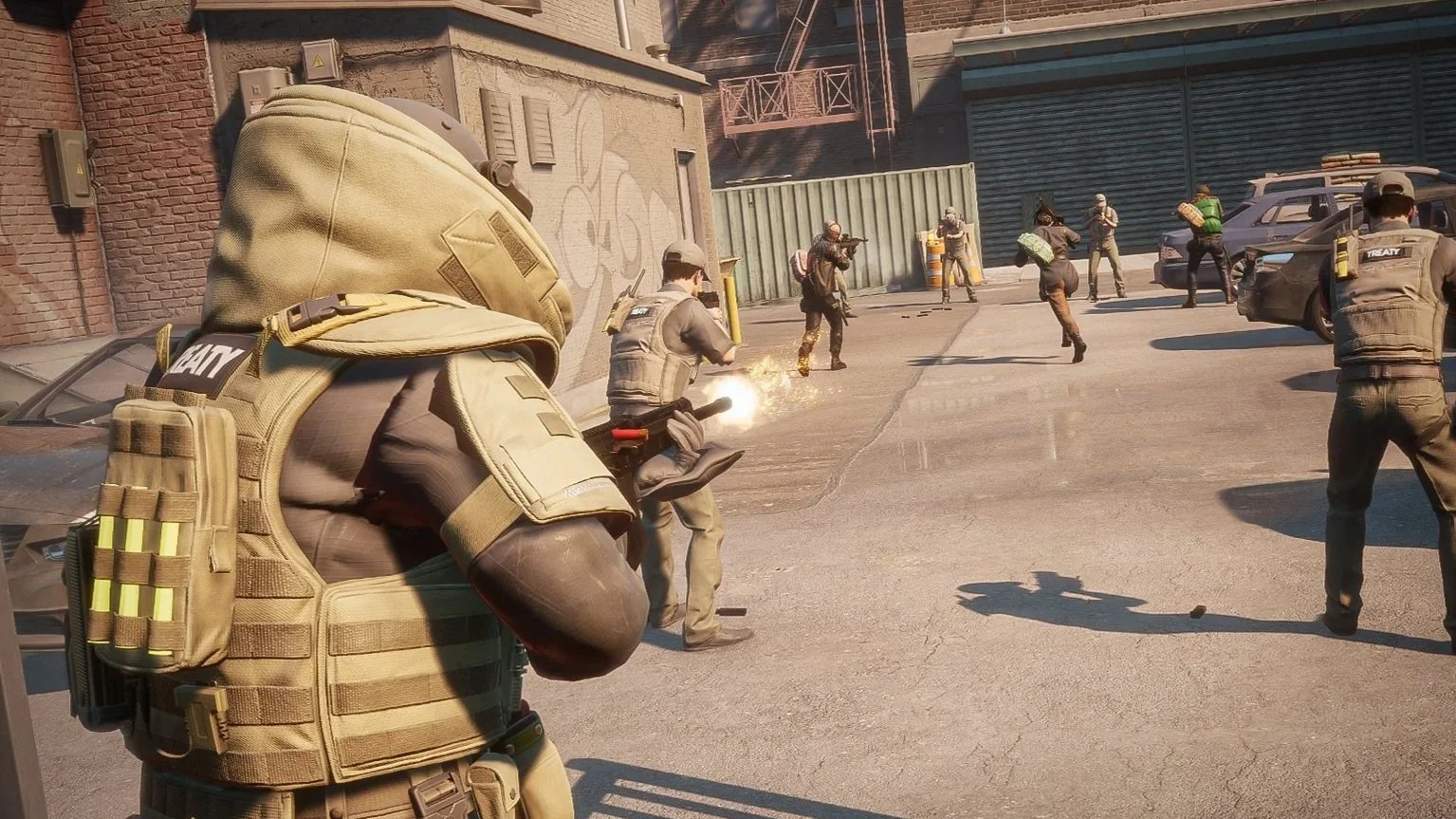
PUBG x PAYDAY - UX Case:
Menu Flow & Progression UX
PUBG’s PAYDAY mode introduced a new kind of experience inside PUBG: a four-player co-op PvE heist mode where players plan, prepare, infiltrate, secure loot, survive, and escape. Unlike PUBG’s standard match flow, this mode needed a stronger sense of preparation and progression before the match even started. The official mode flow was built around preparation, infiltration, objective completion, loot securing, survival, and escape.
My role was to design the UI/UX for the front-end experience: how players discover the mode, enter matchmaking, prepare in the Safehouse, understand new mechanics, choose classes and weapons, vote for heist and difficulty, and finally see progression after the mission.
The challenge was not just adding more menus. It was building a heist loop inside PUBG’s existing UI ecosystem.
Design Approach
I started by mapping the full player journey and identifying where players needed information, where they needed choice, and where they simply needed to move forward quickly.
The key design goals were:
1. Keep the flow familiar
Players should still feel like they are inside PUBG. I reused existing PUBG menu patterns where possible to reduce learning friction.
2. Make preparation feel meaningful
The Safehouse needed to feel like the moment before a heist — not just a waiting room.
3. Teach through context
Instead of creating a separate tutorial, we used the Safehouse as a lightweight onboarding space where players learned by preparing.
4. Connect progression to replay
Players needed to understand that securing loot and completing missions unlocked more class and weapon options over time. PUBG’s official mode describes class abilities, skills, and weapons as unlockable through securing more loot.
1. Safehouse as Preparation
After matchmaking, players enter the Safehouse, where they prepare before the heist begins. This is where players select classes and weapons, vote on heist and difficulty, and gather before the mission starts. The most-voted heist and difficulty are applied, and if the team makes no selection, the game can choose randomly.
From a UX perspective, the Safehouse solved multiple problems at once:
It gave players a clear preparation phase.
It created a stronger heist fantasy.
It gave the team time to make shared choices.
It created space for onboarding without stopping the flow.
The design challenge was making this space feel useful and atmospheric without becoming too slow for an arcade mode.
2. Class & Weapon Selection
The mode included several class roles, each with unique abilities, skills, and weapons. These unlocked over time through loot and progression.
The UX needed to help players understand:
What class were chosen
What weapons were available
What was locked or unlocked
How progression affected future runs
How their choice supported the team
The design needed to make class selection readable at a glance, without overwhelming players with too much information before the mission started.
Design focus:
Support meaningful choice while keeping the preparation phase fast.
3. Heist & Difficulty Voting
Voting was an important part of making the Safehouse feel like a team preparation space. Players could vote for both heist and difficulty, and the final selection was based on the team’s votes.
The UX needed to clearly show:
Available heists
Difficulty options
Time before mission start
This helped turn preparation into a shared team moment rather than a static lobby screen.
Impact
The final menu flow turned PAYDAY from a simple mode entry into a complete heist loop:
Players could discover and enter the gamemode through familiar PUBG navigation.
The Safehouse created a meaningful preparation phase.
Safehouse tutorial pop-ups taught new mechanics without needing a separate tutorial level.
Reused PAYDAY 3 assets helped build fantasy while saving production time.
Class and weapon progression gave players a reason to replay.
The result screen closed the loop from:
[preparation → heist → reward → replay.]
Summary
For PUBG’s PAYDAY mode, I designed the front-end UX that connected PUBG’s Arcade menu to a full cooperative heist experience. By using the Safehouse as a preparation, tutorial, and fantasy space, we created a smoother onboarding flow while supporting class selection, voting, progression unlocks, and replay motivation.
The result was a menu experience that felt deeper than a standard arcade mode, but still familiar and efficient within PUBG’s existing UI system.
The players are able to earn cosmetic rewards they can use throughout the game and other gamemodes.
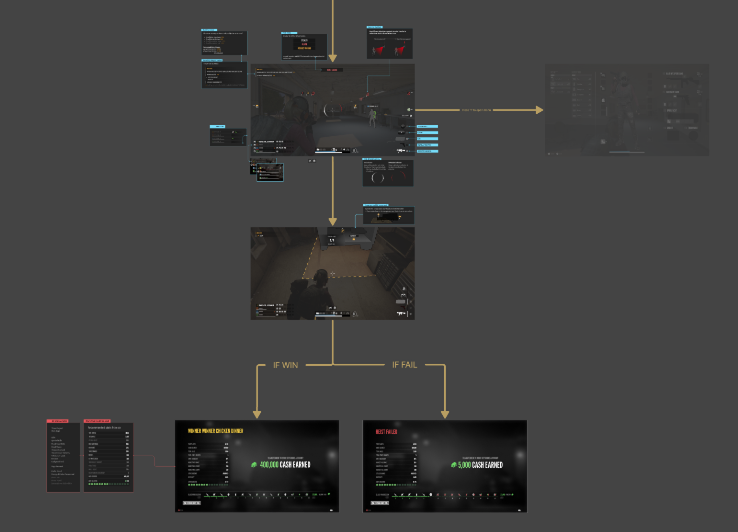
(Wire frames to show flow between HUD to Result screen.)
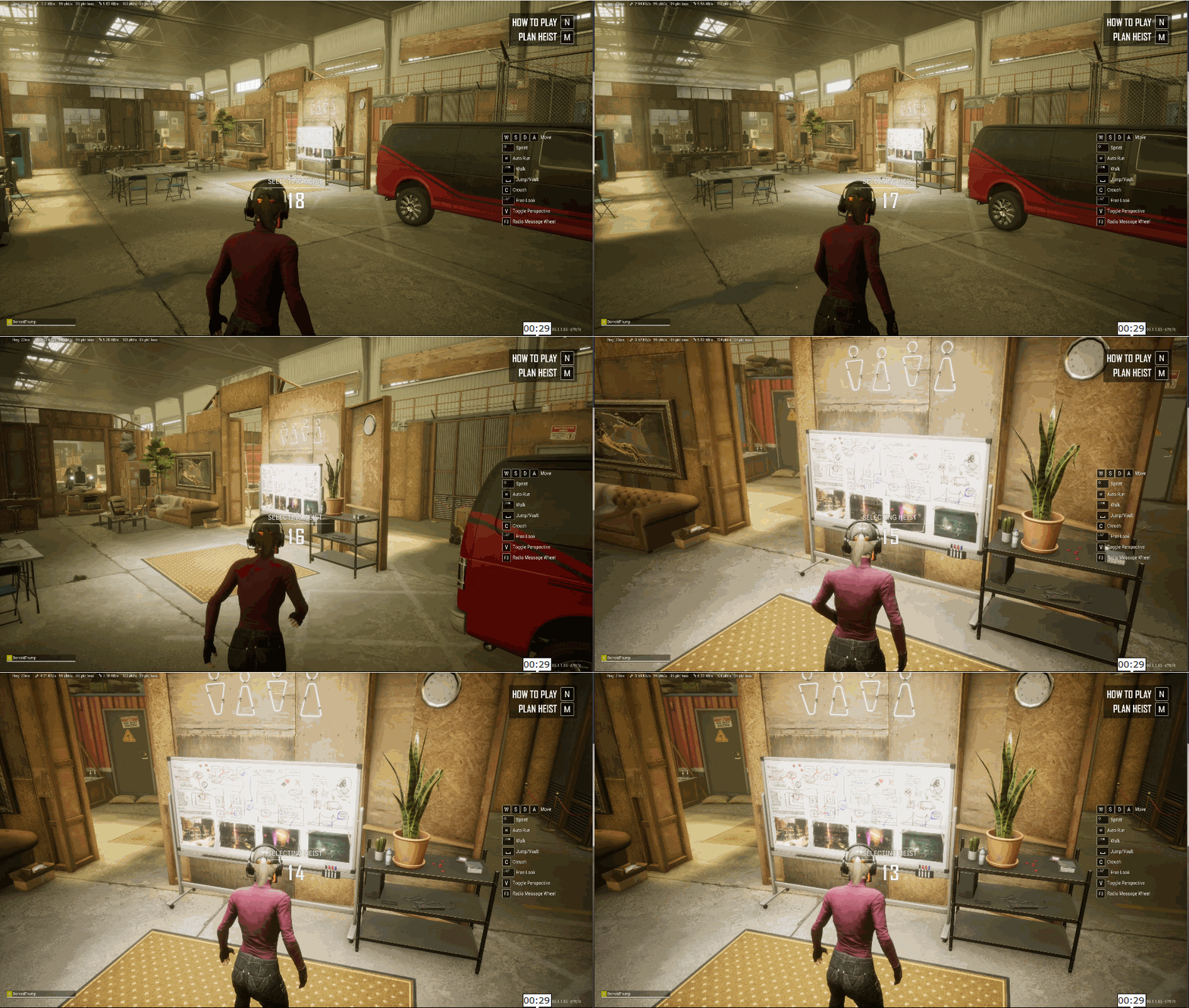
(Inside Safehouse, player exploring whiteboard with mission details.)
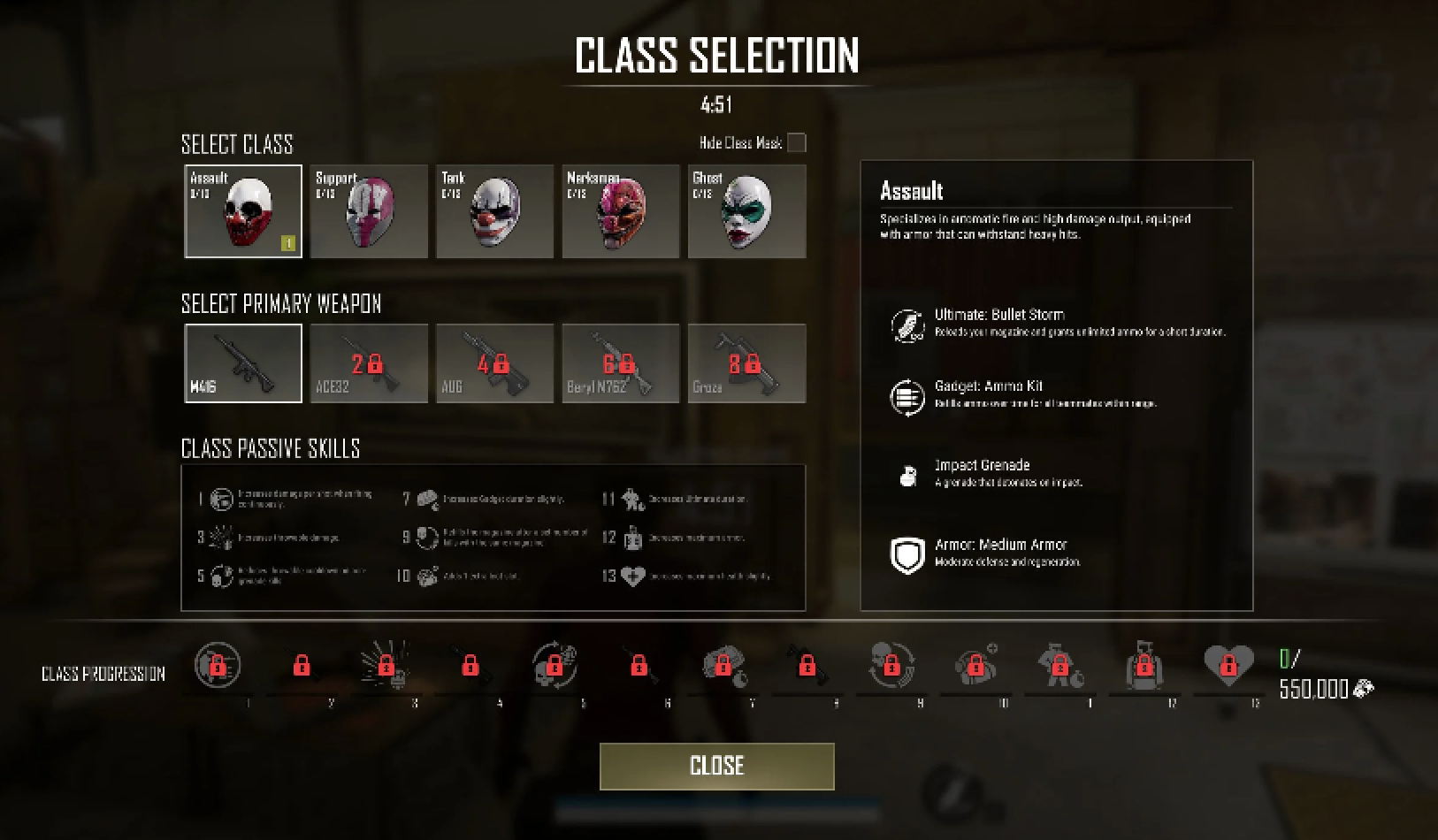
(In-game screenshot of class & weapon selection menu.)
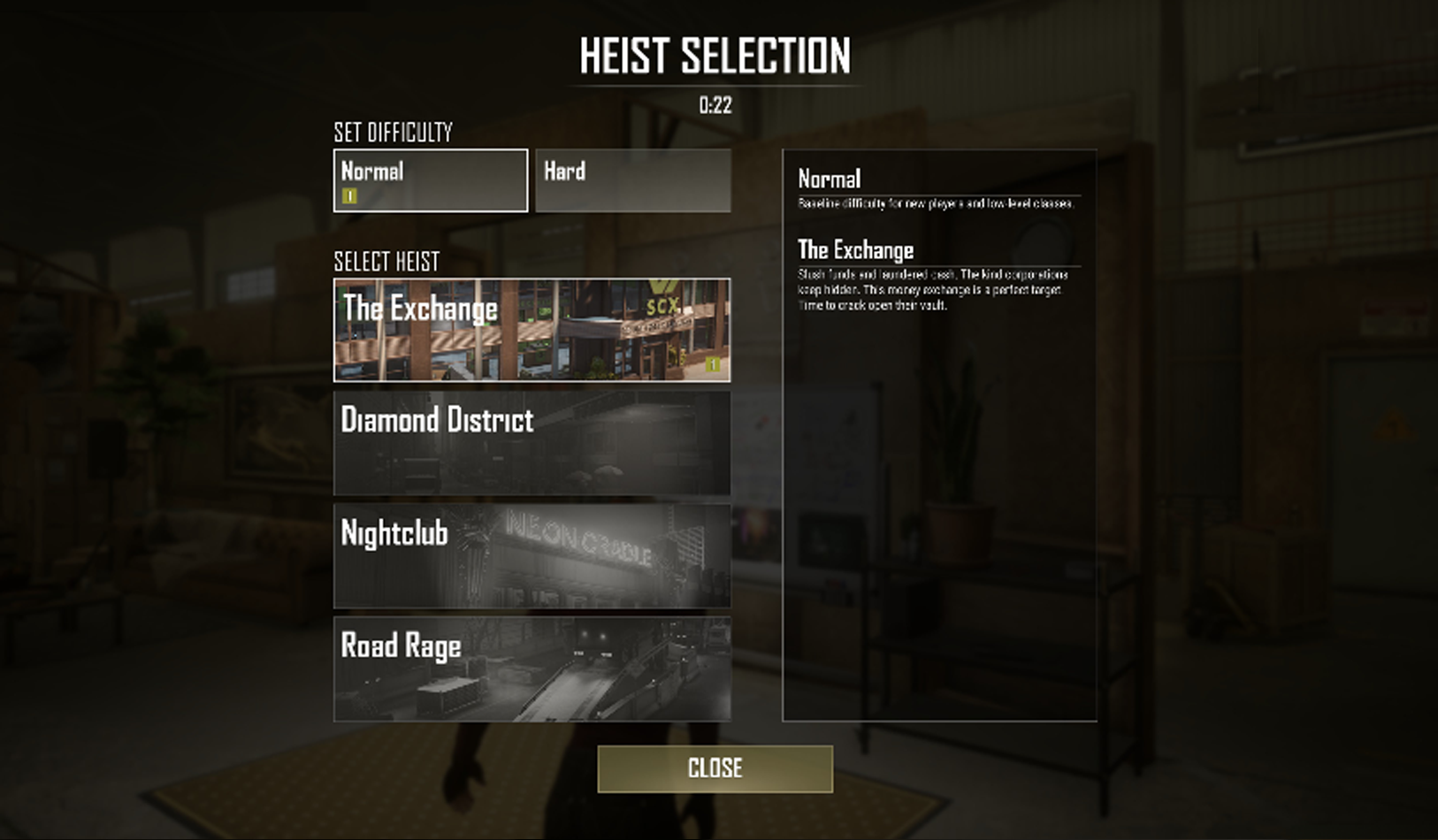
(In-game screenshot of heist selection menu.)
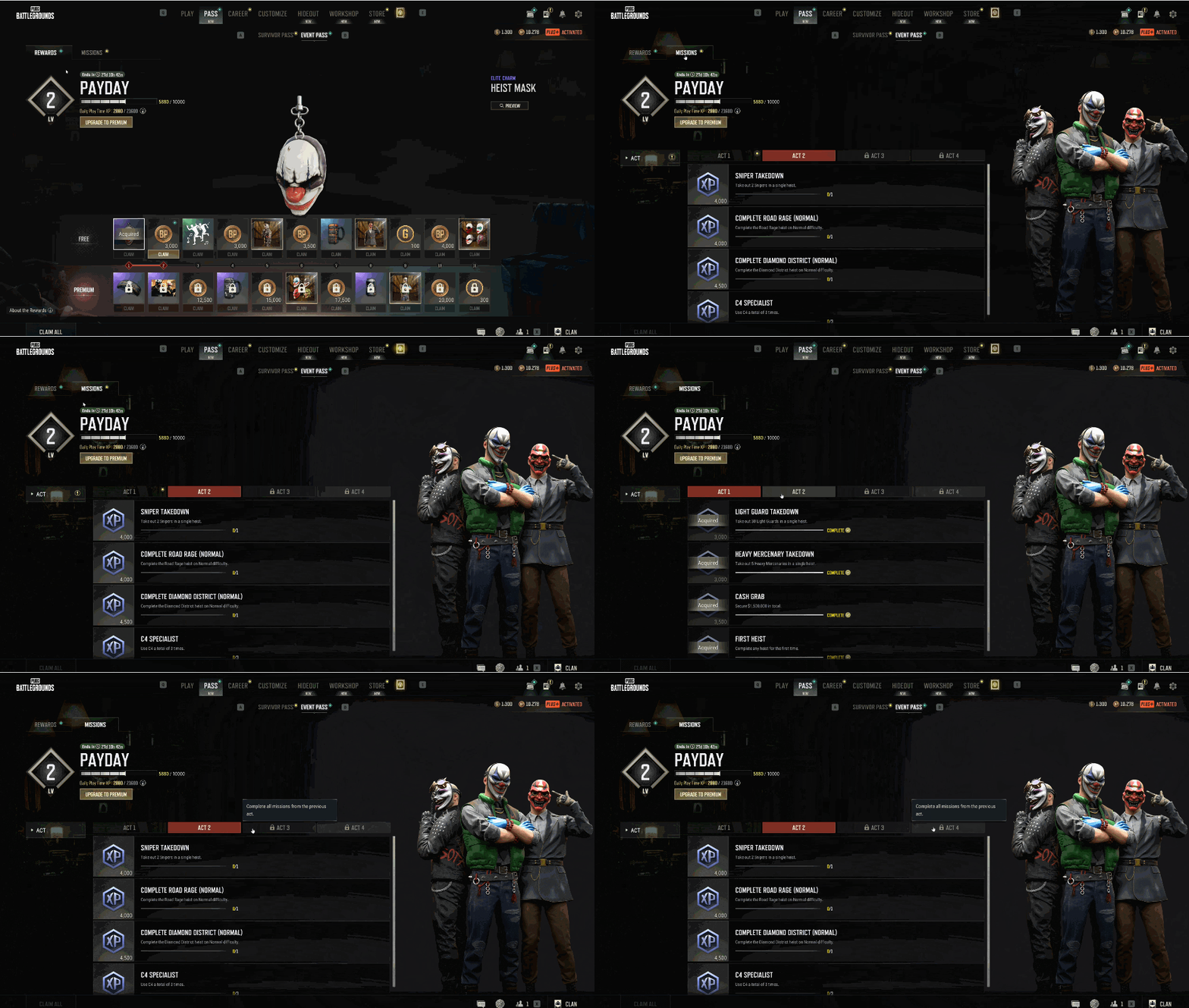
(Event pass menu with PAYDAY gamemode rewards)
The Challenge
PAYDAY added a different rhythm to PUBG. Instead of entering a match and focusing only on survival, players needed to prepare as a team, understand class roles, vote on the heist and difficulty, and connect mission success to unlocks and replay motivation. The Safehouse became the key space where all of this had to come together.
The full player journey became:
PAYDAY Mode / Arcade menuMatchmakingSafehouse PreparationTutorialization & OnboardingHeist + Difficulty VotingClass / Weapon SelectionMission StartResults & ProgressionReplay
The UX problem was: How do we introduce a deeper tactical heist structure without slowing down PUBG’s familiar arcade flow?
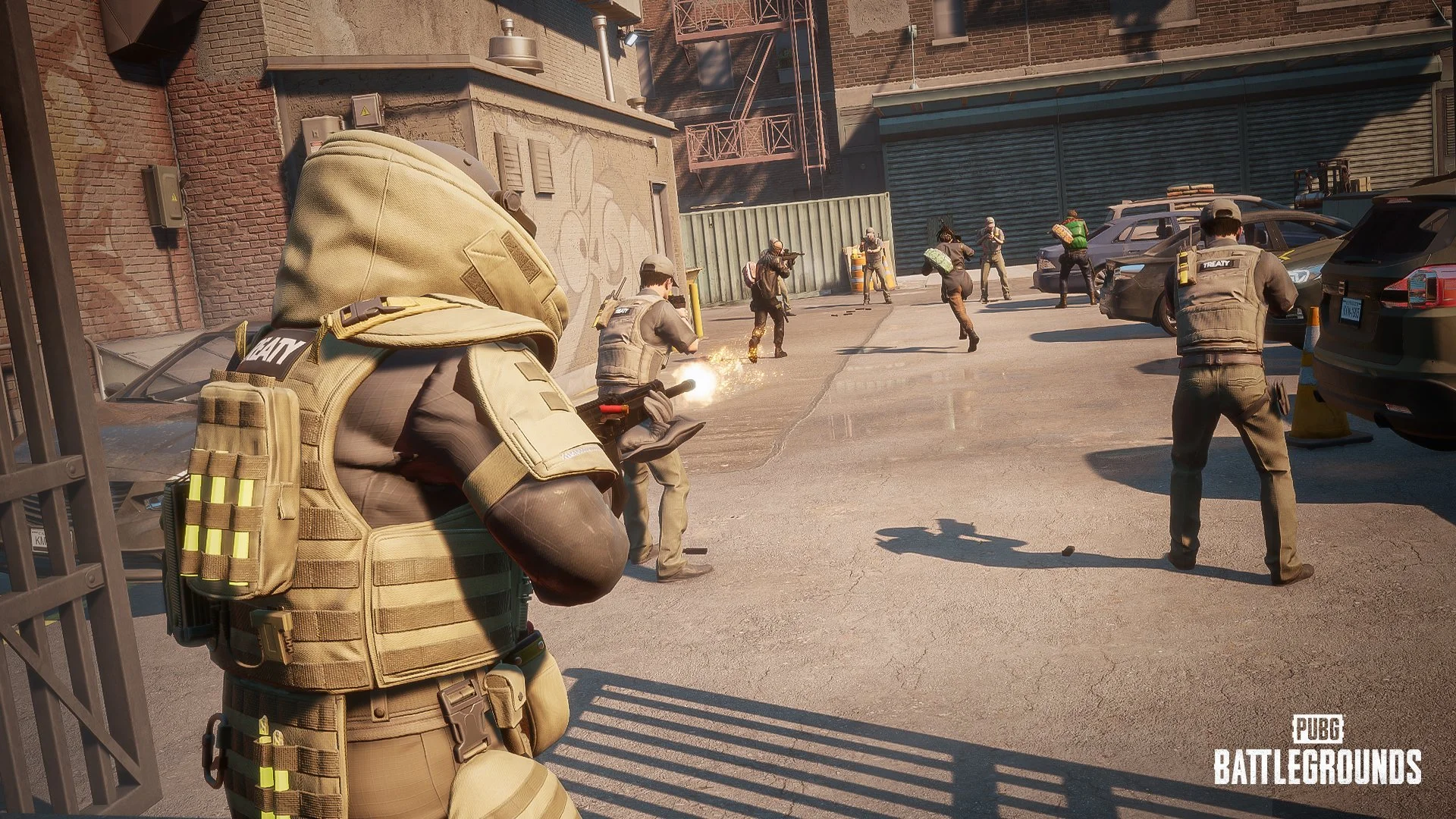
4. Results & Progression Loop
After the mission, the result screen needed to connect what happened in the heist to long-term progression. Rewards are based on collected loot, mission success, and selected difficulty, with mission success granting more XP than failure.
The result screen became:
loot Secured
XP Earned
Class Progression
Unlocks
Replay Motivation
The goal was to make players understand why the run mattered, what they gained, and what they could unlock next.
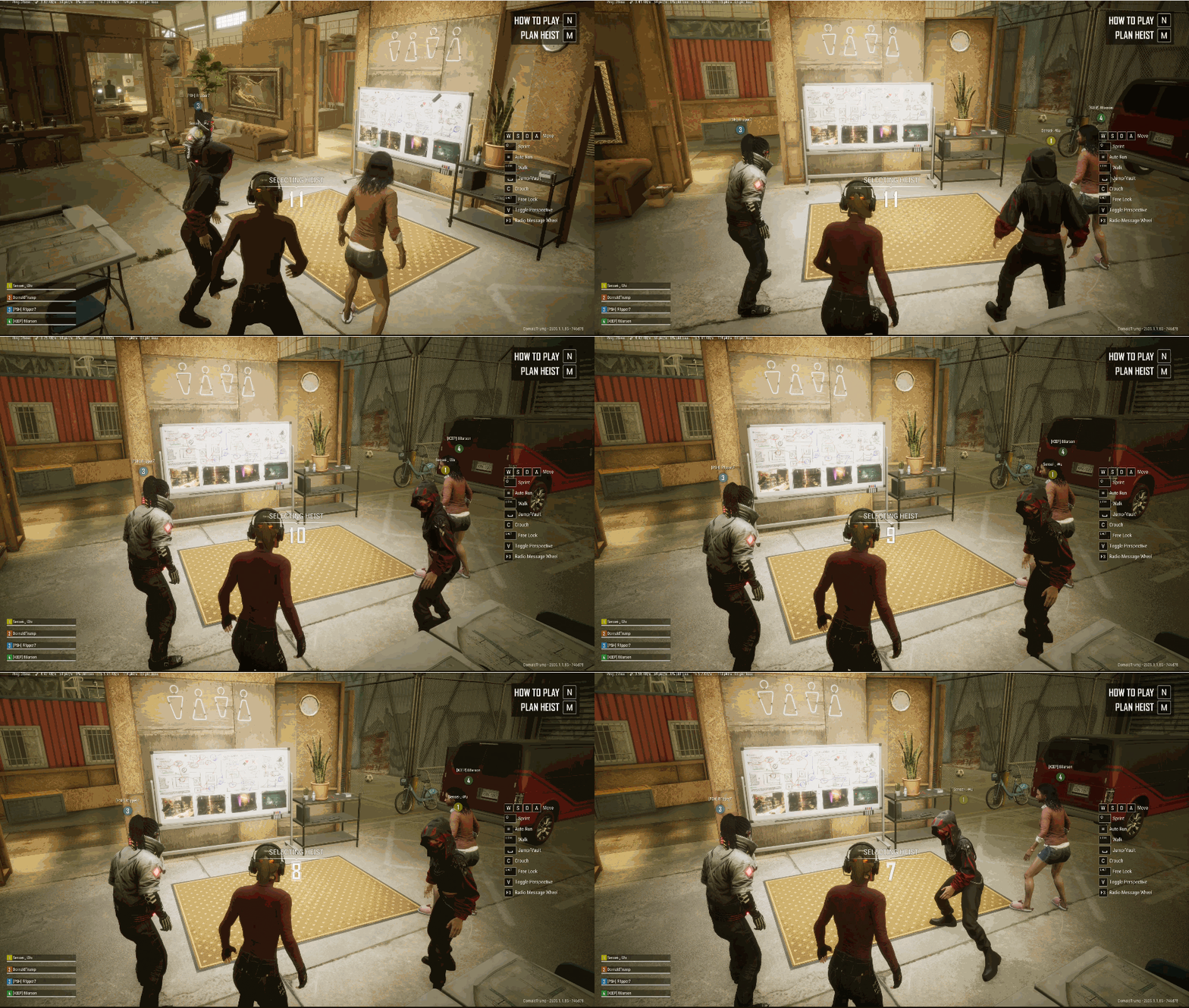
(Video of multiplayer lobby within the safehouse.)
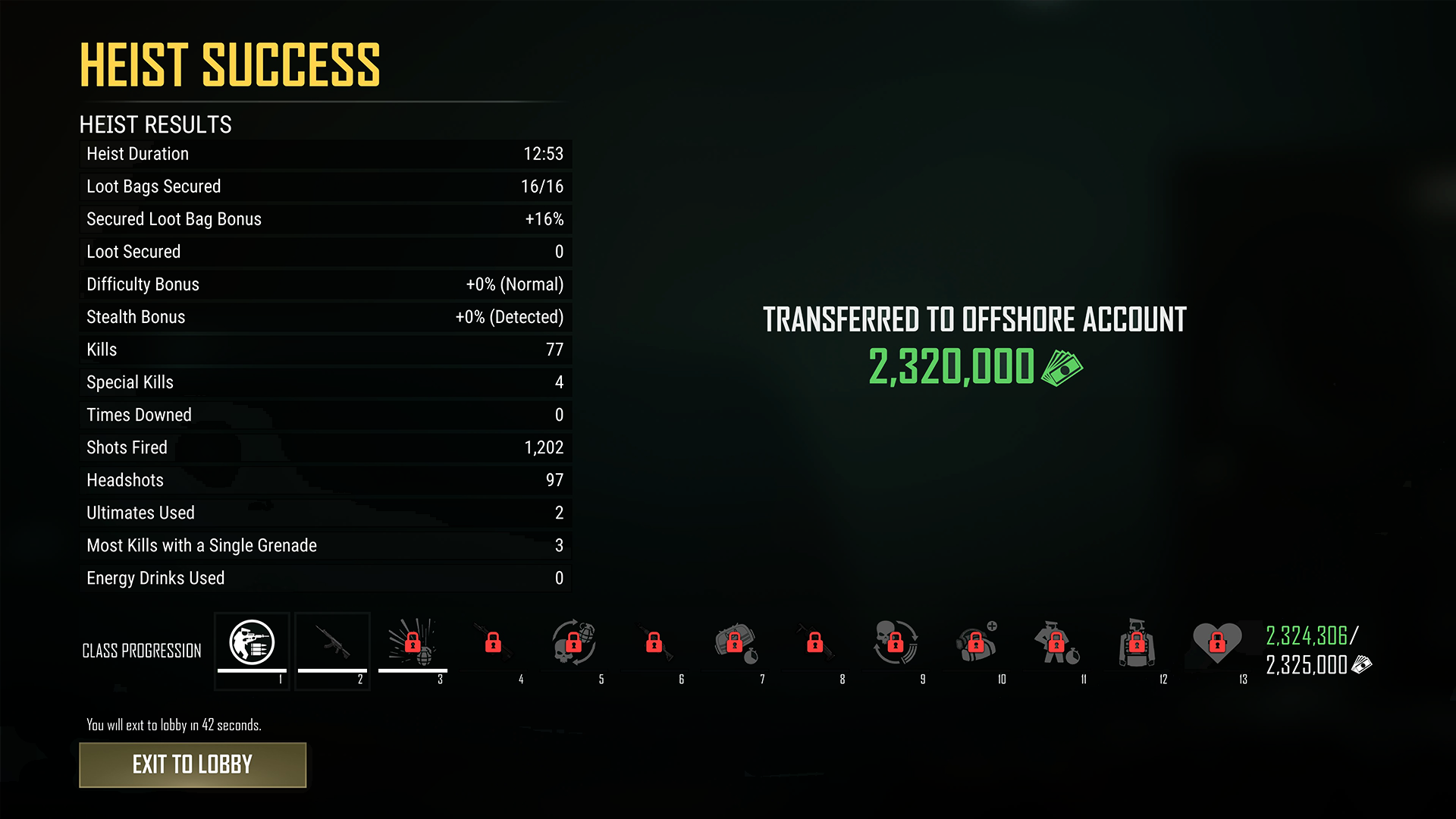
(In-game screenshot of heist success screen.)